What's New in Band Session Note 1.23: Score Captions, a Drum Pattern Board and Song Structure
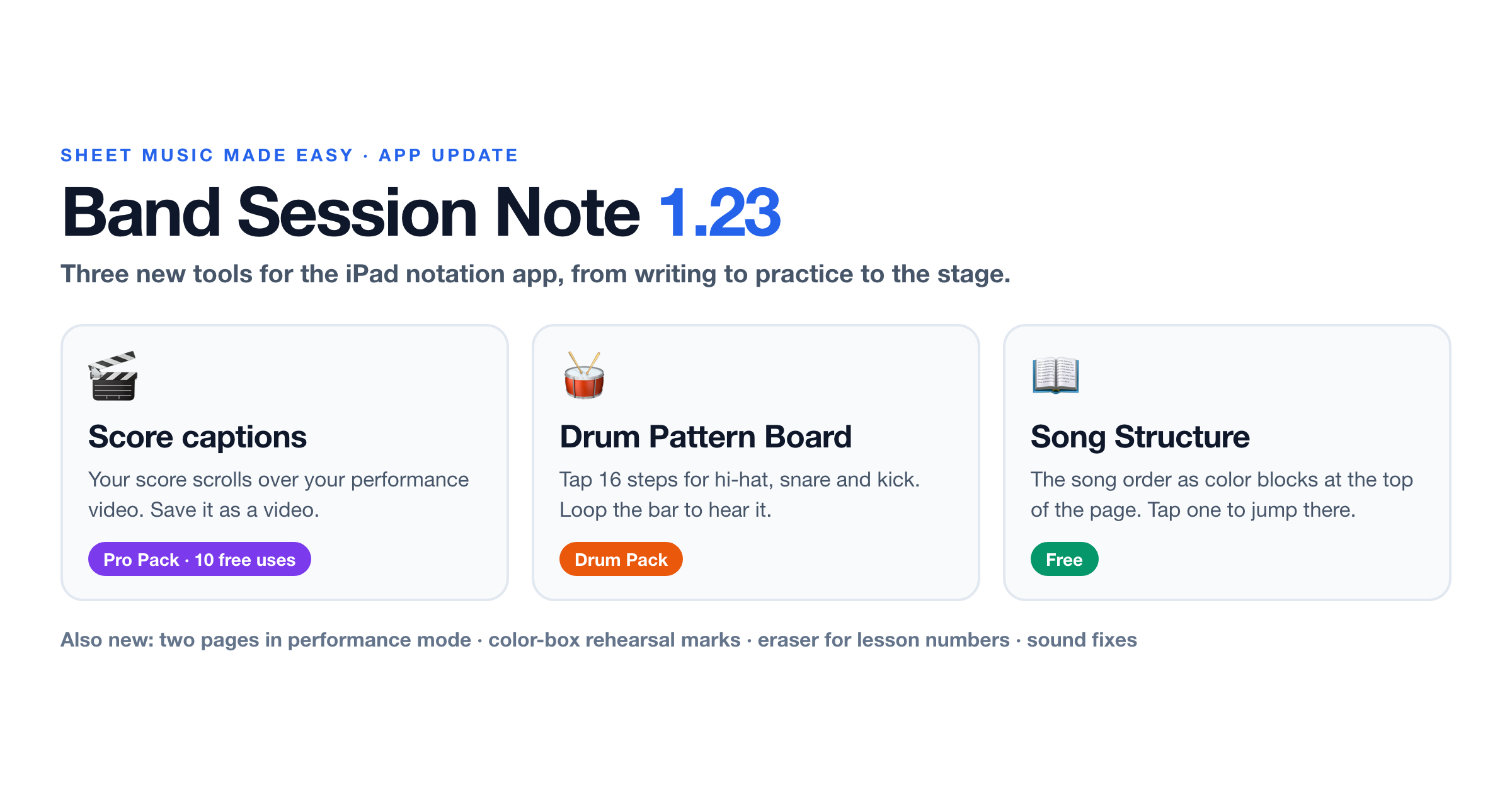
Band Session Note 1.23 is out on the App Store and Google Play with three new tools: score captions for performance videos, a 16-step Drum Pattern Board, and a Song Structure bar that shows the order of a tune as color blocks. Band Session Note is the iPad notation app I make, and the examples on this blog are drawn in it. This post is a short break from the usual lessons: here is what is new and how to use each part.
Score captions
If you post performance videos, you have probably added the sheet music by hand in a video editor. Score captions do it for you: the score scrolls along the bottom (or the top, or the middle) of the video in time with the music, like captions, and you save the result as a new video.
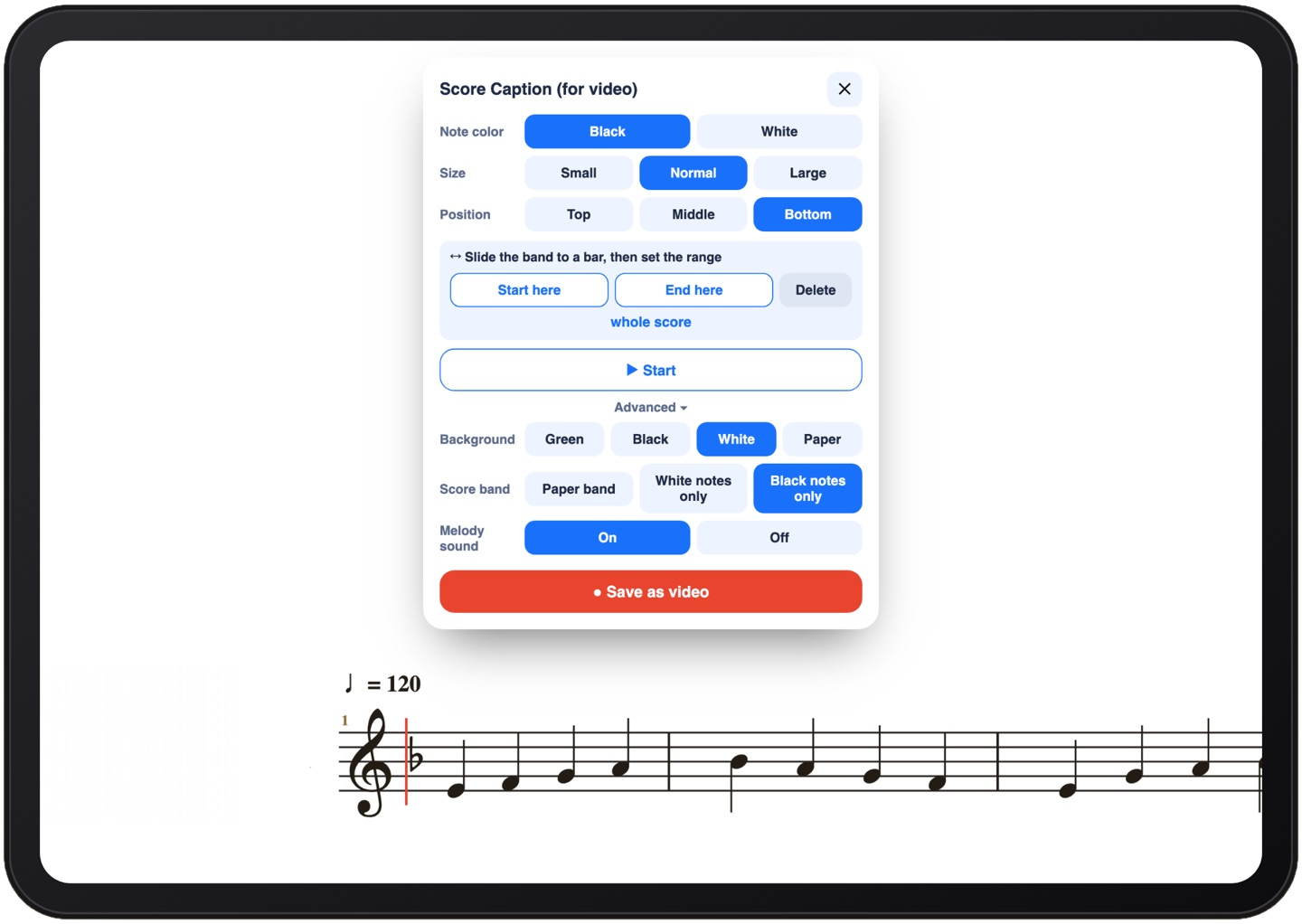
Score captions are part of the Pro Pack, and you can try them 10 times for free before buying.
Drum Pattern Board
Writing drum parts note by note is slow. The Pattern Board turns one bar of 4/4 into a grid of 16 steps, one for every sixteenth note (counted 1 e + a, 2 e + a and so on), with a row each for hi-hat, snare and kick. Tap the steps and the drum notes appear on the score.
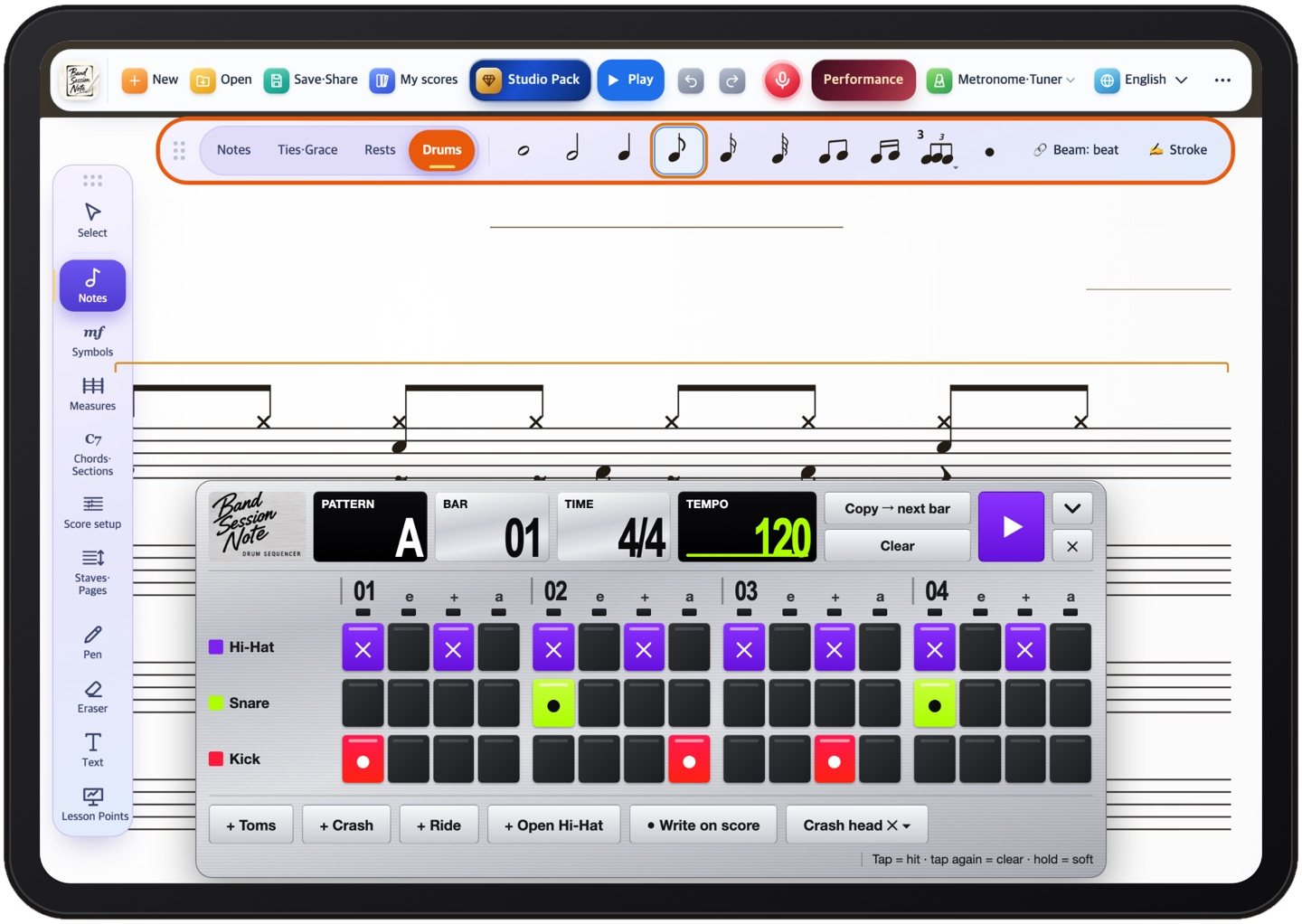
Open it from the Drums tools, or say “pattern board” in voice search. If you are new to reading drum parts, start with the three main rows: hi-hat for the time, snare on the backbeat, kick for the low end.
Song Structure
Most band charts are a road map: intro, verse, chorus, bridge, with repeats and maybe a D.S. al Coda. Song Structure puts that map at the top of the first page as a row of color blocks, so you can see the whole tune at a glance.
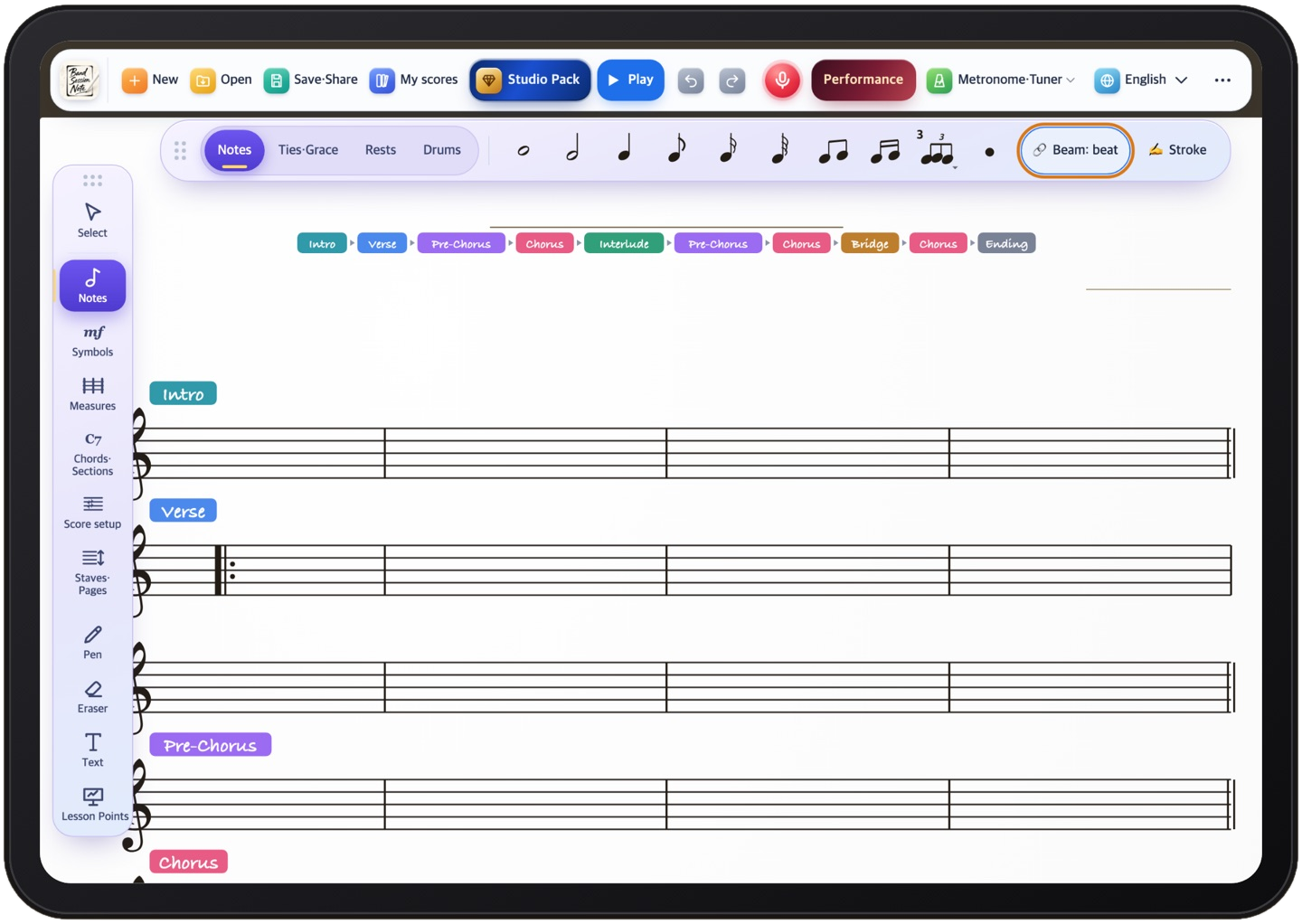
Song Structure is free for everyone who has the app.
Two pages in performance mode
In performance mode, turn the iPad sideways and you see two pages at once, like an open book on a music stand. This one is free too.
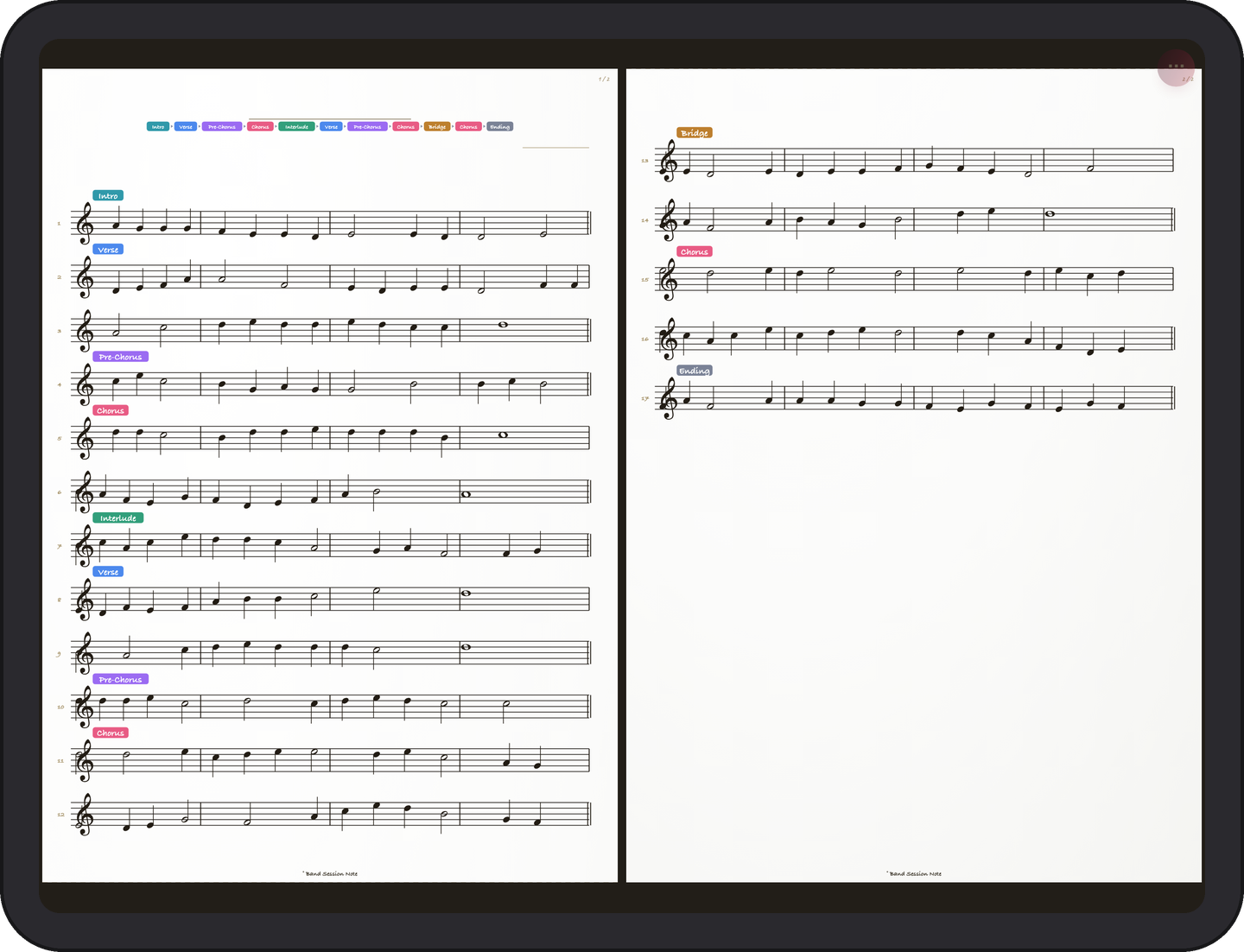
If you have turned on Song Structure, its color blocks stay at the top of page one, so the road map and the music are in view together.
Smaller changes
Rehearsal marks as color boxes. Turn a rehearsal mark into a color box and pick a color for each one, so sections stand out on a busy page.
Erase lesson numbers with the eraser. Lesson numbers and sections now come off with the eraser, straight away.
Two fixes. The sound of chord progression playback is fixed, and turning the metronome sound back on works again.
FAQ
Is the update free?
Yes. Update the app from the App Store or Google Play. Song Structure, two pages in performance mode and the smaller changes are free. Score captions need the Pro Pack after 10 free uses, and the Drum Pattern Board is part of the Drum Pack.
Where do I find score captions?
Studio Pack → Pro Pack → “🎬 Score Caption”, or the “🎬 Score Caption” button in the play bar.
Will the lessons continue?
Yes. The voicing series goes on with the next post, and every example will keep coming straight from the app.
Band Session Note is the iPad notation app I make. You can find it on the App Store and Google Play, and more about it at bandsessionnote.com.


Comments
Post a Comment